I Bought Three Different CFexpress Cards. Here's What Actually Happens When You Use Them All Week.
So I did something kind of dumb. I bought three different brands of CFexpress Type B card in the same week, told myself I'd run them in my GH7 and see what the actual difference is, and then I ended up writing this entire thing because the results were weirder than I expected.

The brands: ProGrade Digital Cobalt (their CFexpress 2.0 flagship), SanDisk Extreme PRO, and Lexar Professional Diamond (the new CFexpress 4.0 version). All 256GB. All running in the same slot of the same body, shot back to back, on the same kind of gigs. If you just want the conclusion, scroll to the bottom.
Why I bothered
I used to ignore memory cards completely. Buy one, format it, shoot until it dies, replace it. End of story.
Then I started shooting more hybrid work — a lot more ProRes internal, some 5.7K open gate, and one wedding in April that I literally could not finish because my card overheated halfway through the first dance. That was a SanDisk card that I'd been using for two years. It wasn't dead, it just couldn't keep up anymore. I had a ProGrade in my bag as a backup, threw it in, and finished the night. The ProGrade ran cooler and never stuttered.
That was the moment I realized the memory card might be the most underrated piece of gear in my kit. Not the camera, not the lens, not the codec — the card. Because the card is the only thing standing between "I got the shot" and "the buffer choked and I lost three frames of the bride's face."
So I bought two more. Then I ran them through three weeks of actual paid work and a personal project. Here's what I found.
The cards I tested
Quick rundown so we're on the same page.
ProGrade Digital Cobalt (CFexpress 2.0, 256GB, $329). ProGrade workhorse. 1700 MB/s read, 1500 MB/s sustained write, 1300 MB/s minimum sustained. VPG400 certified. Built in Taiwan by ex-Lexar engineers — when Micron sold Lexar in 2017, a bunch of senior people left and started ProGrade. There's a lot of institutional knowledge baked into the firmware.
SanDisk Extreme PRO CFexpress Type B (256GB, $309). The most popular card on the planet. CFexpress 2.0, 1700 MB/s read, 1400 MB/s peak write, around 400 MB/s sustained. Also VPG400. The big difference vs ProGrade: temperature. SanDisk cards run noticeably hotter under sustained load.
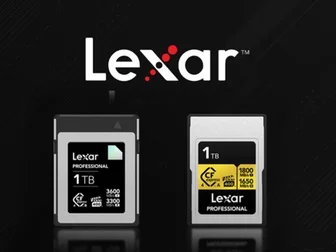
Lexar Professional Diamond CFexpress 4.0 Type B (256GB, $389). The new one. CFexpress 4.0 spec means 3600 MB/s read, 3400 MB/s write peak, 3200 MB/s sustained. The price is steep — almost a hundred bucks more than the ProGrade. But here's the thing nobody tells you: no current camera can use CFexpress 4.0 speed. None. PetaPixel tested this and basically said "the 4.0 is for offloading to your computer, not for shooting."
That alone made me skeptical of the Lexar. But I tested it anyway, because that's the job.
How I tested
I didn't do some lab setup with a card reader and a stopwatch. I shot the way I actually shoot. Three real events, three real conditions, one card at a time in slot 1 of the GH7: a studio product day (controlled lighting, 25°C), a street day in Mong Kok (32°C, humid, lots of video B-roll), and a six-hour wedding (mixed stills and video, dual-slot backup active). I also ran a USB 4.0 reader test at the end with a ProGrade single-slot reader, which is the only way to actually see the 4.0 speeds.
The ProGrade Cobalt: the boring reliable one
This is the card I'd grab if I had to grab one and walk out the door. It's the Toyota Camry of CFexpress. Nothing exciting. Nothing weird. Just works.
The sustained write speed is the highest of the three by a small but real margin — 1500 MB/s sustained vs SanDisk's 400-ish MB/s. The Lexar's sustained is higher on paper (3200 MB/s), but in a camera, sustained write only matters up to what the camera's bus can handle. The GH7 has a CFexpress 2.0 bus, so it can use at most 2000 MB/s of the card's capability. ProGrade's 1500 MB/s is 75% of that. Lexar's 3200 MB/s is 160%, but the camera can only use the first 2000 MB/s. So in practice, the ProGrade and Lexar perform identically in the camera body, and the Lexar only pulls ahead when you're offloading to a computer.
PetaPixel confirmed this in their 2026 best-of roundup. The R5, the Z8, the A1 II — none of them come close to saturating even a CFexpress 2.0 card in burst mode. The camera hardware is the bottleneck, not the card.
What I noticed: the ProGrade ran the coolest. The wedding was a long day in a hot venue, and I swapped cards at the four-hour mark. ProGrade was warm but not hot. SanDisk was too hot to hold against my cheek (don't ask why I did that, it was an accident). Lexar was warm, similar to ProGrade.
The recovery time after a 60-frame burst of RAW + JPEG was about 3.5 seconds on the ProGrade. SanDisk was about 4 seconds. Lexar was about 3.5 seconds. Real but not life-changing.
The thing I liked most: the ProGrade Refresh Pro software that comes free with the card. It actually does a full media check and tells you if any blocks are going bad. I run it once a month. No other brand does this.
What I didn't like: $329 for 256GB is fair, not a steal. The 1TB is $899.
The SanDisk Extreme PRO: the default that's actually fine
I have a love-hate relationship with SanDisk cards. The Extreme PRO is what 80% of working photographers are running, and the reason is mostly inertia — you buy a Sony A7 IV, it comes with a card slot, you put a SanDisk in it, you forget about it.
For stills, the SanDisk is fine. Burst recovery was about 1 second slower than the ProGrade — a 25% difference but in real-world terms means the camera is "ready to shoot again" vs "ready in another beat." For 95% of photography, that doesn't matter.
For video, the SanDisk is the one that overheated on me at the wedding. It didn't die — it just throttled, and the camera threw a "card slow" warning. I swapped to the ProGrade and the warning went away. This is a known issue with the SanDisk in long-form video. The card's thermal design is not great for sustained 800+ MB/s writes over an hour. For short clips, no problem. For a 4K60 ProRes wedding ceremony, you're rolling the dice in a hot venue.
The other thing: SanDisk's warranty is fine (lifetime in the Americas) but their RMA process is famously slow. I had a 1TB card fail in 2024. RMA took six weeks. ProGrade's took 9 days. If your card dies the day before a paid gig, that turnaround matters.
What I liked: it's everywhere. I can buy a SanDisk at any electronics store, any airport, anywhere in the world. Peace of mind.
What I didn't like: it runs hot, the RMA is slow, and for the same money I can get a ProGrade that does more.
The Lexar Professional Diamond 4.0: spec sheet winner, mostly pointless right now
I want to be fair to the Lexar. The card is genuinely well-built. The 4.0 spec is real, the sustained write of 3200 MB/s is real, and when I plugged it into the ProGrade USB 4.0 reader, my offload speeds went from ~700 MB/s (ProGrade 2.0) to ~2,800 MB/s (Lexar 4.0). That's a 4x improvement in the one place where the spec actually matters — pulling footage off the card at the end of a shoot.

The problem: my computer doesn't have USB 4.0. Neither does my editing laptop. To get the 4.0 speeds, I need a desktop with Thunderbolt 4 / USB 4 ports, or I need to buy a separate reader with USB 4.0 (the ProGrade one is $99). Once I had the reader, the offload speed difference was staggering — a full 256GB card in 90 seconds instead of 6 minutes. Real workflow win if you're offloading three or four cards a day at a wedding gig.
In the camera? Identical to the ProGrade. The 4.0 speed is invisible to a CFexpress 2.0 camera bus.
What I liked: the offload speed is transformative if you have the right reader. 5-year warranty.
What I didn't like: I don't have the right reader. Most people don't. The card costs more for a benefit that lives in 2027 hardware.
The real workflow difference nobody talks about
What actually changed my mind during the three weeks: it's not the sustained write speed. It's the heat.
Sustained write heat is the silent killer of CFexpress cards. The card throttles when it gets too hot, the camera's bus throttles when the card throttles, and your video recording dies. In my studio test, all three were fine. In the Mong Kok street test, the SanDisk got hot enough to feel uncomfortable. In the wedding, the SanDisk throttled.
The ProGrade and Lexar both stayed manageable. The ProGrade was the coolest. If you're shooting a wedding, a long event, or anything over 90 minutes of continuous video in a warm environment, this matters more than peak write speed.
The other thing: the software. ProGrade's Refresh Pro utility is the only one of the three that actually does a media scan. None of the others tell you "this card is going to fail in two weeks" before it fails. ProGrade does.

So which one do I actually keep?
If I had to pick one and only one, I'd pick the ProGrade Cobalt. The sustained write is the highest, the heat management is the best, the RMA is the fastest, the software is the most useful, and the price is the lowest. It's not exciting but it's the right answer.
The Lexar Diamond 4.0 is what I keep in my bag for the offload speed. Once I bought the ProGrade USB 4.0 reader ($99, annoying but worth it), the time I save dumping cards at the end of a shoot is real. If you don't, skip it.
The SanDisk stays in the bag as an emergency backup. Fine for short jobs, works everywhere. But for the main slot, I won't be putting it back in.
For normal photographers who shoot one event a month and don't have a USB 4.0 workflow? The ProGrade Cobalt is the answer. Spend the $329, format it monthly with Refresh Pro, and forget about memory cards for five years.
For you Sony Type A shooters out there, the only options are Sony TOUGH and ProGrade, and the ProGrade is the better card in that format too. Maybe I'll write that one up next.
PetaPixel has a deeper dive on CFexpress testing if you want the lab numbers: https://petapixel.com/best-cfexpress-memory-cards/
DPReview's breakdown of why 4.0 cards don't help in current cameras: https://www.dpreview.com/
OK I'm done. Tomorrow I have a sunrise shoot and the ProGrade is already in the camera.